Advanced Merchandising Rules
Advanced Merchandising provides a scalable method of managing precise cross-sell and upsell recommendations. For example, if a customer is looking at a new television, an upsell recommendation might be the next model up. A cross-sell recommendation might include DVD players or Surround Sound systems (or both). Advanced Merchandising can also help manage recommendations to "complete a bundle," the ability to suggest items that complement the customer's chosen item. For example, if a customer is looking at a new digital camera, it can recommend compatible memory cards, backpacks, speedlights, filters or lenses. Or if the customer is looking at a jacket, Advanced Merchandising might be set up to recommend items such as a matching shirt, tie, socks, and shoes.
Advanced Merchandising rules are a sophisticated hybrid approach that combines the precision of manual curation with the power of automation. With Advanced Merchandising, a job runs regularly to generate the output of your defined rules. This means your recommendations automatically update based on new behavioral data and catalog changes, ensuring the curated experience remains fresh and relevant without manual updates.
Advanced Merchandising is primarily used for cross-selling on pages with a clear seed product, such as item, add-to-cart, and cart pages.
Recommendation Groups let merchandisers define specific groups of products to recommend based on a seed product. For example, for a blazer, you could create a rule to recommend products from a jeans group and a shirts group.
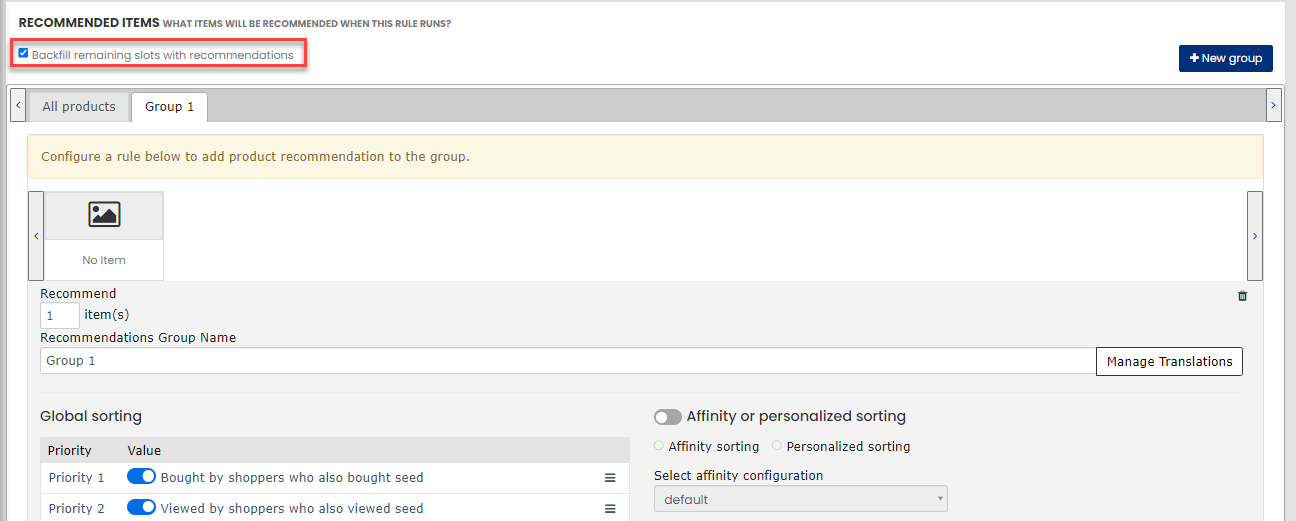
Dynamic Sorting Logic means the products within the curated groups are automatically sorted based on powerful behavioral data. The default priority is:
-
Products frequently bought together with the seed item
-
Products frequently viewed together with the seed item
-
General top-selling products from the group
Affinity Sorting is a best practice that transforms a generic curated rule into a personalized experience. It reorders the products within the recommendation groups to match a specific shopper's affinity for attributes like brand, color, or style, making the curated experience feel personally relevant.
Advanced Merchandising gives you a curated experience that stays dynamic and personalized. It's a good compromise between control and automation.
When you use Advanced Merchandising, you can manipulate recommendations to present products that are cross-sell items, like showing a backpack that is compatible to the laptop that the customer is looking at, or upsell items, such as a television that has more features than the one on the page.
It is important to remember that Advanced Merchandising is a manual tool that allows very specific targeting, but this comes with an inherent cost to processing:
-
Regex rules with wild cards can take a large amount of processing power - where possible target Attributes instead.
-
Daisy-chaining multiple Advanced Merchandising rules together can take a large amount of memory.
-
Cross-referencing a category with many products against itself creates a giant table - where a simple category-siloed strategy can do the same thing -- a high seed-count makes the rules excessively expensive (18,000 products crossed by 18,000 products for example).
-
Creating more assigned slots than are available on the page can be extraneous (specifying more than will ever be seen).
-
Large catalogs (1 million+) can cause scalability problems as well.
-
Having numerous rules (500+) can cause scalability problems as well.
-
Having many attributes (1000s) can also create issues.
IMPORTANT: Combinations of any of these will only compound scaling issues, and may cause issues even if you aren't hitting thresholds for individual areas (attributes, rules, catalog size, etc.)
How It Works
Advanced Merchandising rules override the KOTH engine and take precedence over manual merchandising rules.
The Advanced Merchandising rule assigned to a given placement is evaluated and leveraged to provide products for the requested recommendations. Merchandising rules (Restrictions and Boosting) are only applied to Advanced Merchandising if the "Enable system filters and rules" option is enabled. Strategy rules are not applied on the products returned by the Advanced Merchandising rule, but are applied on backfill products. If the products returned by the Advanced Merchandising rule is less than the set item count for that placement, and "use backfill" is selected, the merchandising rules are applied to those backfill products.
Rules
Upload Rules
You can upload product, attribute, and category context values in JSON format for advanced merchandising rules. For more information on uploading Advanced Merchandising rules, see Upload Advanced Merchandising Rules in JSON Format.
Existing Rules
To view the existing Advanced Merchandising rules and add new rules, on the Digital Experience Personalization dashboard, go to Recommend > Advance Merchandising.
The Advanced Merchandising page displays all the rules set up for the site.
The information contained on the list page provides the basic information for the rule, including:
-
Name: Name given to the rule by the creator of the rule
-
Placements: Where the rule is applied
-
Regions: If the site has regions enabled, this will tell which regions the rule applies to
-
Last Update: When the rule was last edited
-
Start Date: When the rule was started
-
End Date: When the rule ends, or if it says "Evergreen" the rule has no end date
-
Enabled in Production: Whether the rule is enabled in production (selected) or not (cleared)
-
Status: Status of the rule
To edit an existing rule, click on the rule name.
In addition, the buttons across the top allow for rules to be added manually, uploaded from a file, deleted, and multi-site settings can be accessed.
Context
Rules are a combination of context (which defines where to apply the conditions), placement and recommendations.
Context is the criteria used to determine where to look for the seed products covered by the rule. For example, select Category from the first drop down, IS from the second dropdown, and choose the Electronics, Computers from the provided list to make the context "Category IS Computers (Electronics.Computers)" which means that the rule is to be applied when the category of the item is Computers.
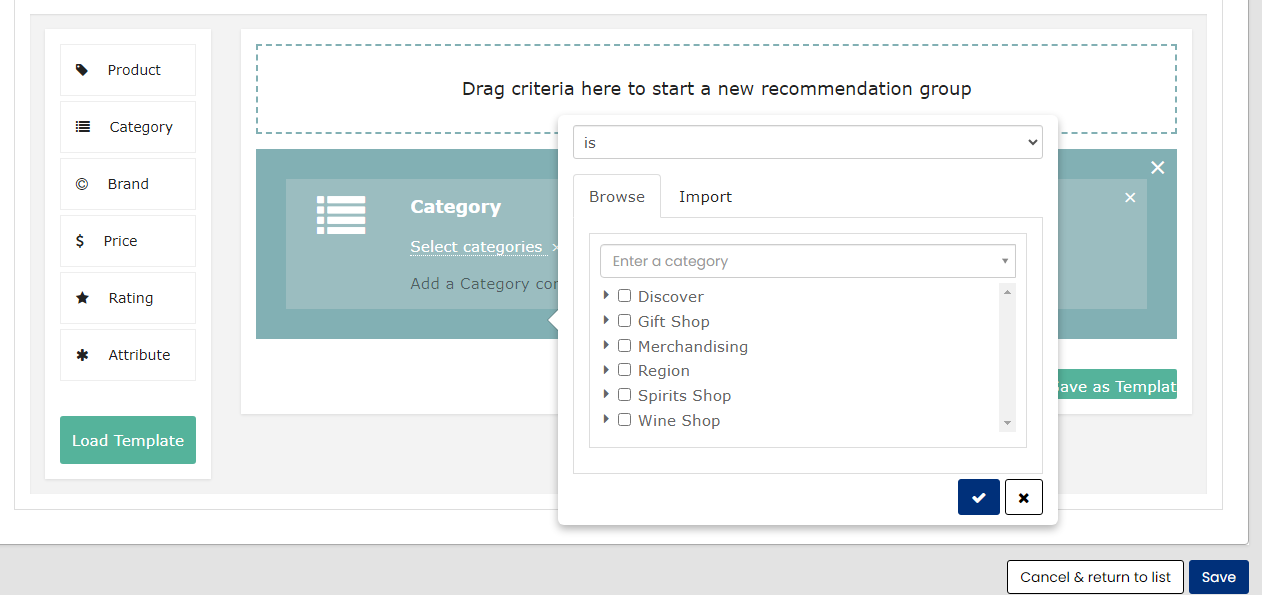
Placement
The placement tells Advanced Merchandising where on the context defined page to put the Recommendations. You can choose one or more placement. For the example above, the placement chosen is on the item page, in the placement called item_page.recs_2. So when the rule returns recommendations, they will populate that particular placement on the item page.

Recommendations
Recommendations is where you specify what products to use for this seed, sorted within the rec return by the Order By setting. In the example shown below, we are using this rule to recommend 2 items, with the sorting priority of "Probability of item being clicked" followed by "Top Selling: and we are indicating two different categories of products.

This will produce two recommendations that come from either one of those categories, based on the priorities.
Note: There may be multiple rules set up for a site and multiple rules may relate to each product. That's where the Rule Evaluation Job steps in to evaluate all of the rules and choose the best rule.
For more information on setting up Advanced Merchandising rules, see Create Advanced Merchandising Rules.
Effects on Merchandising
The rules set up in Advanced Merchandising will supersede all other rules, and will produce the only recommendations for the selected placement unless the Backfill remaining slots with recommendations checkbox is selected.